 Graboard
Grab everything.
The Mac clipboard that captures text, code, links, images, files, colors, and screenshots — all searchable, all private, all on your Mac.
Free · macOS 14.0+ · Apple Silicon & Intel


Most clipboard tools stop at text. Graboard doesn't.
Every kind of thing you copy or capture is a first-class, searchable item.
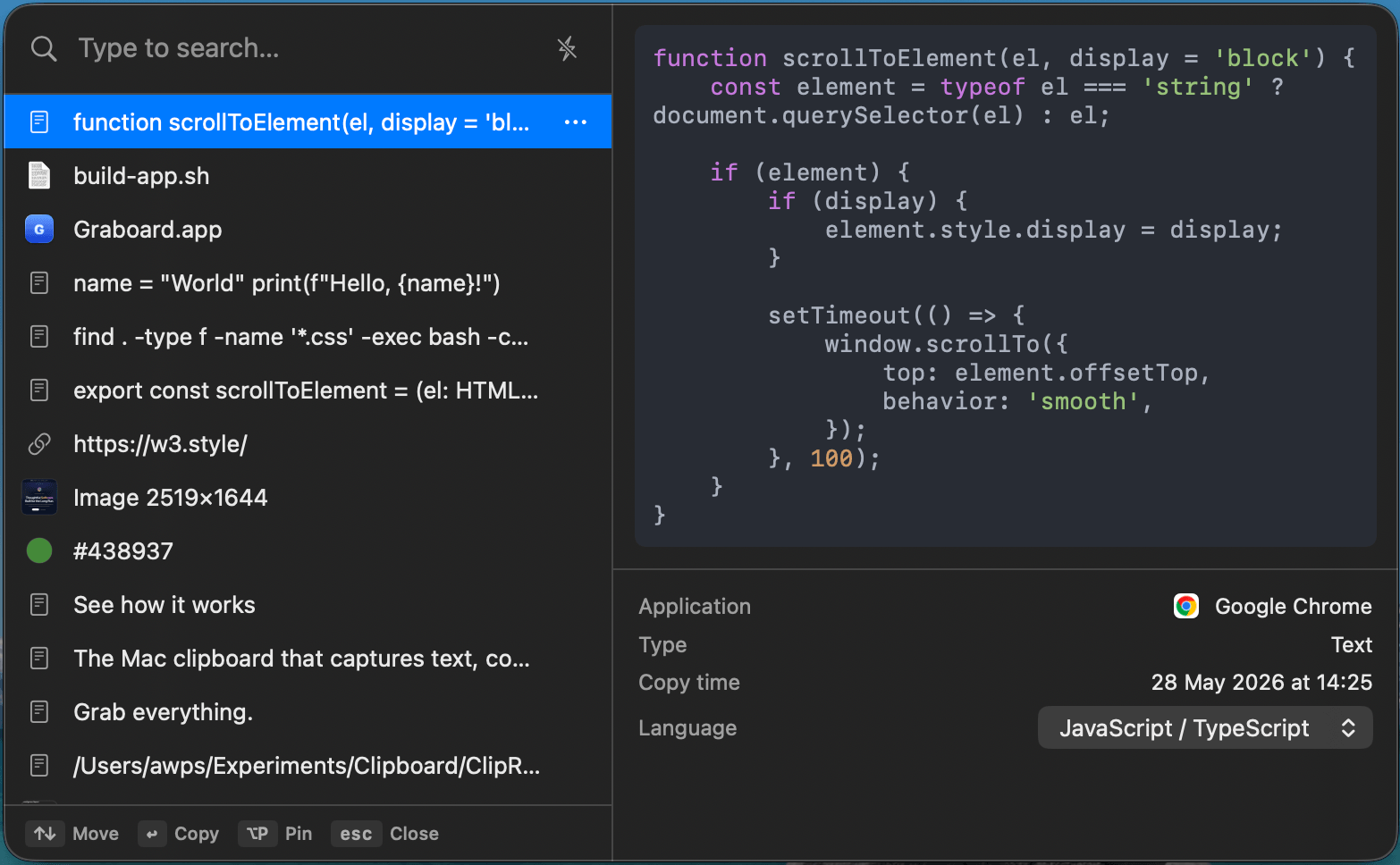
Text & code
Syntax-highlighted, language auto-detected.
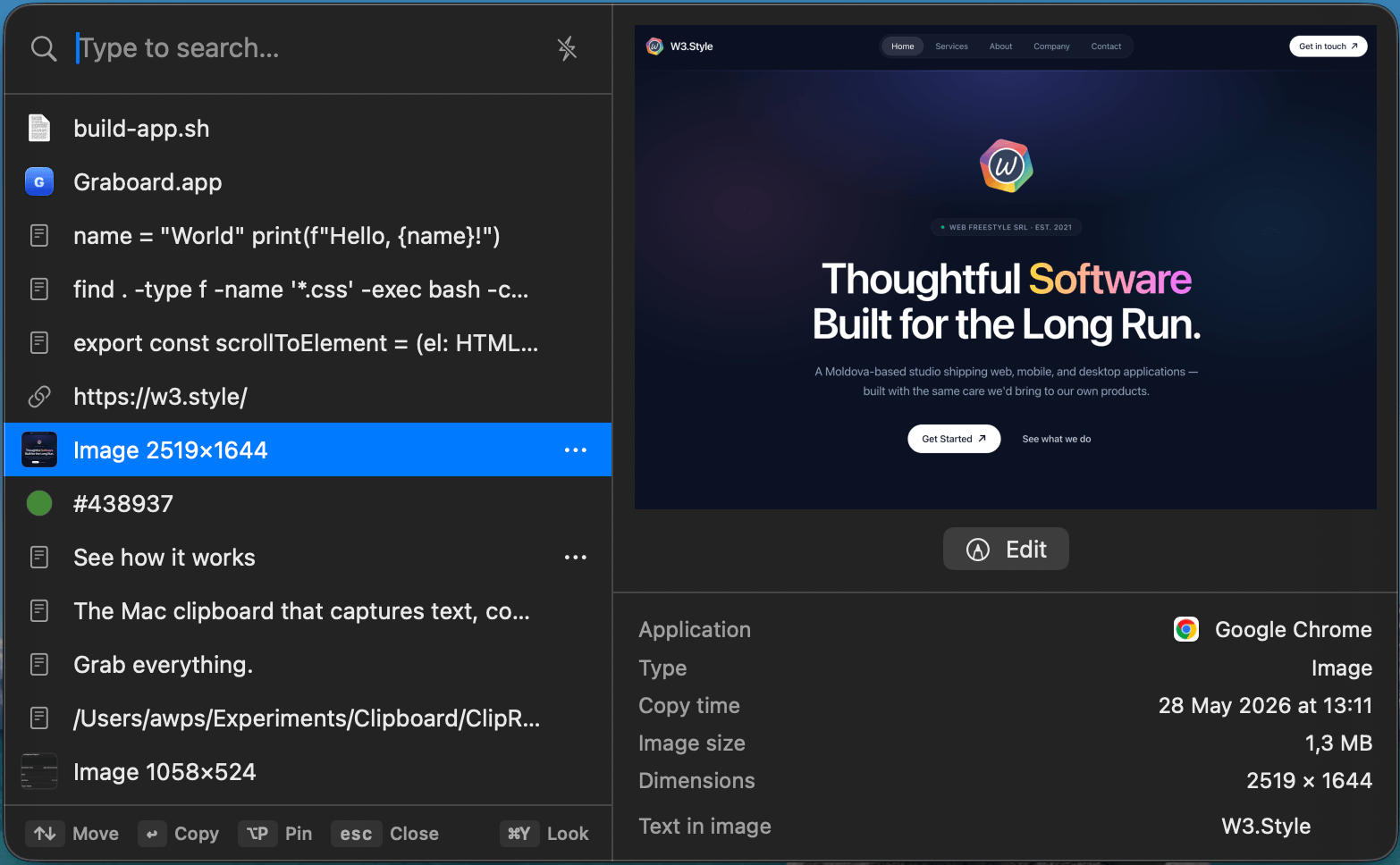
Images & OCR
Find a screenshot by the words inside it.
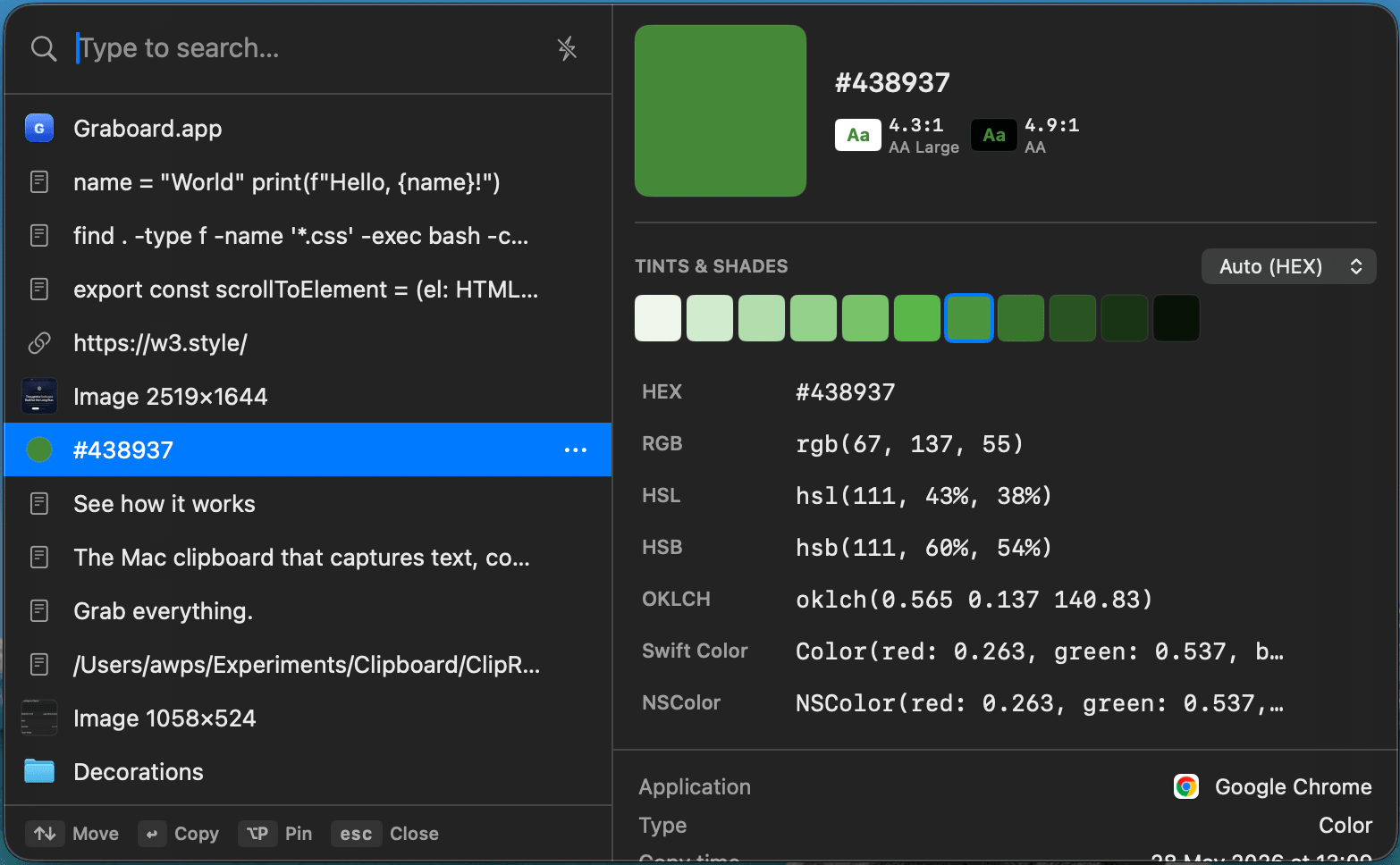
Colors
Pick, convert, and check contrast.
Screenshots
Capture, annotate, straight to history.
Files
Thumbnails, metadata, paste variants.
Find anything you copied.
Instant full-text search across your whole history — including the text inside your screenshots, thanks to built-in OCR. Pinned items stay on top.


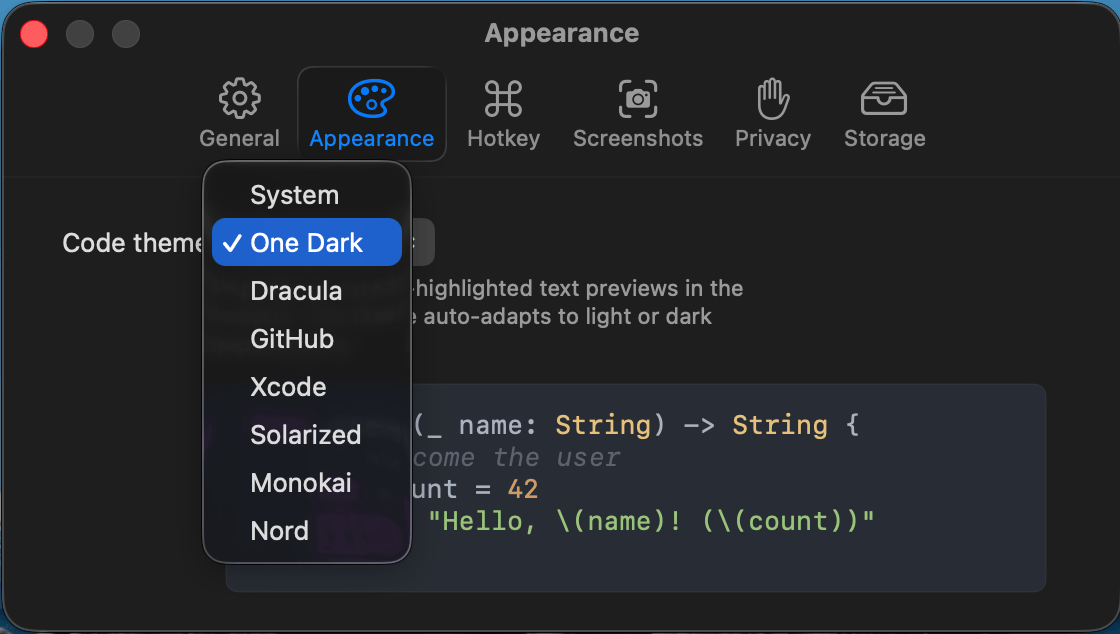
Copy code, keep the formatting.
Syntax highlighting for 15 languages with 8 themes, language auto-detected. Paste the full snippet, every time.


A real toolkit for colors.
Pick any pixel on screen with the system loupe. Graboard shows the swatch, WCAG contrast, tints & shades, and one-click conversion between hex, rgb, hsl, oklch, and more.

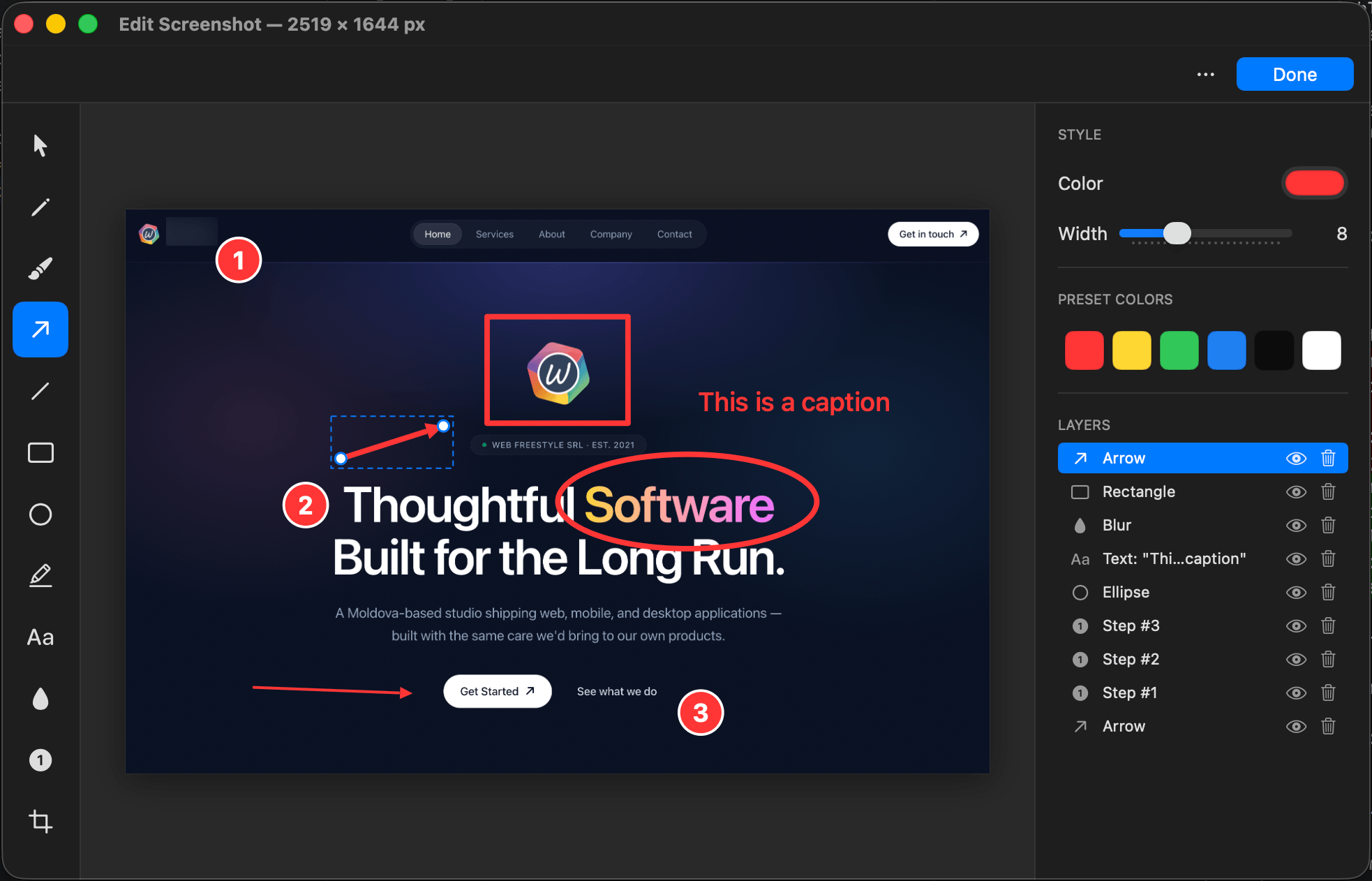
Screenshots that go straight to your clipboard.
Capture a region, a window, or the full screen — annotate it, and it lands in your history, searchable by its text.


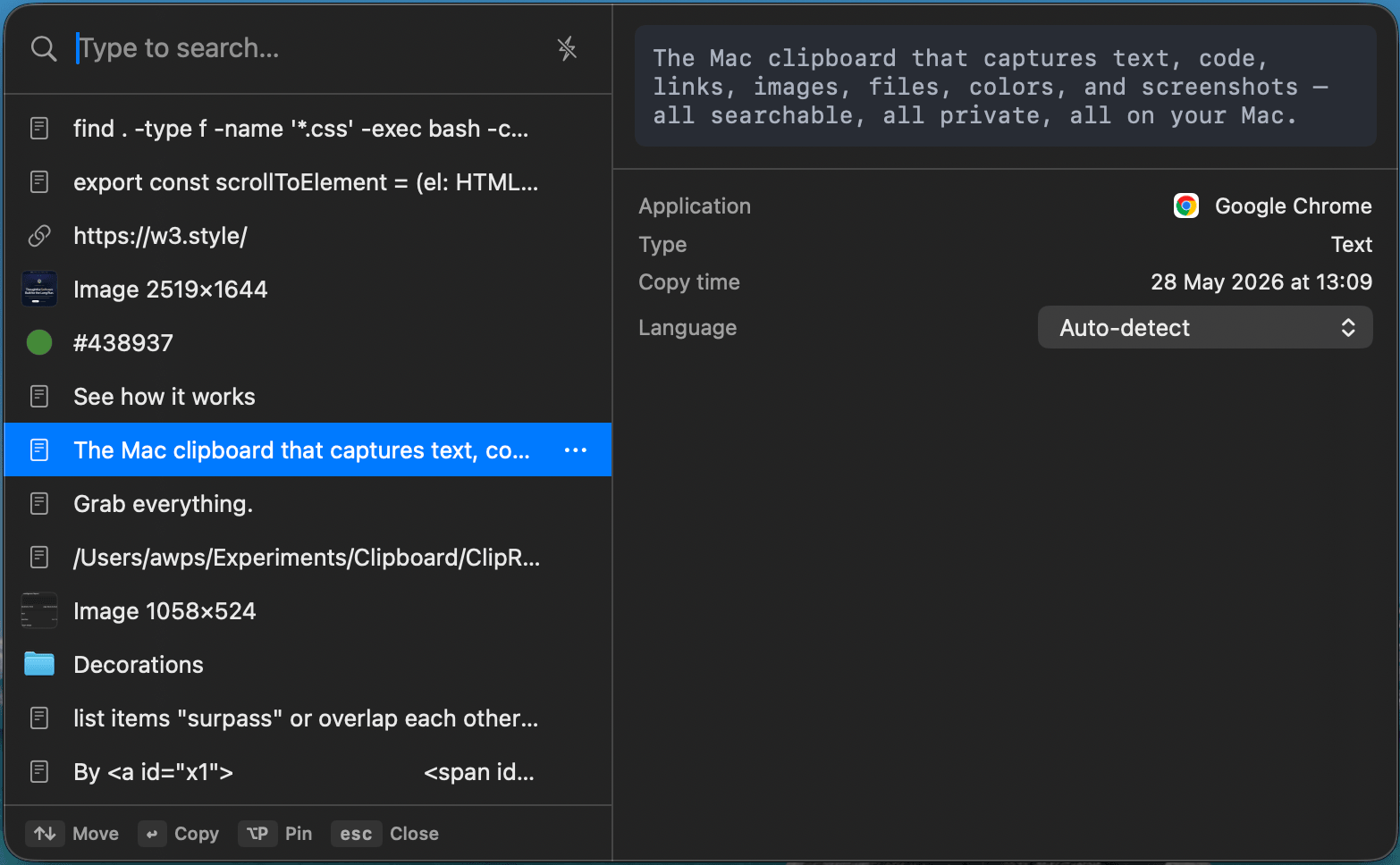
Built for how you actually paste.
Global hotkey, keyboard-only navigation, native Share Sheet, and paste straight back into the app you were using.


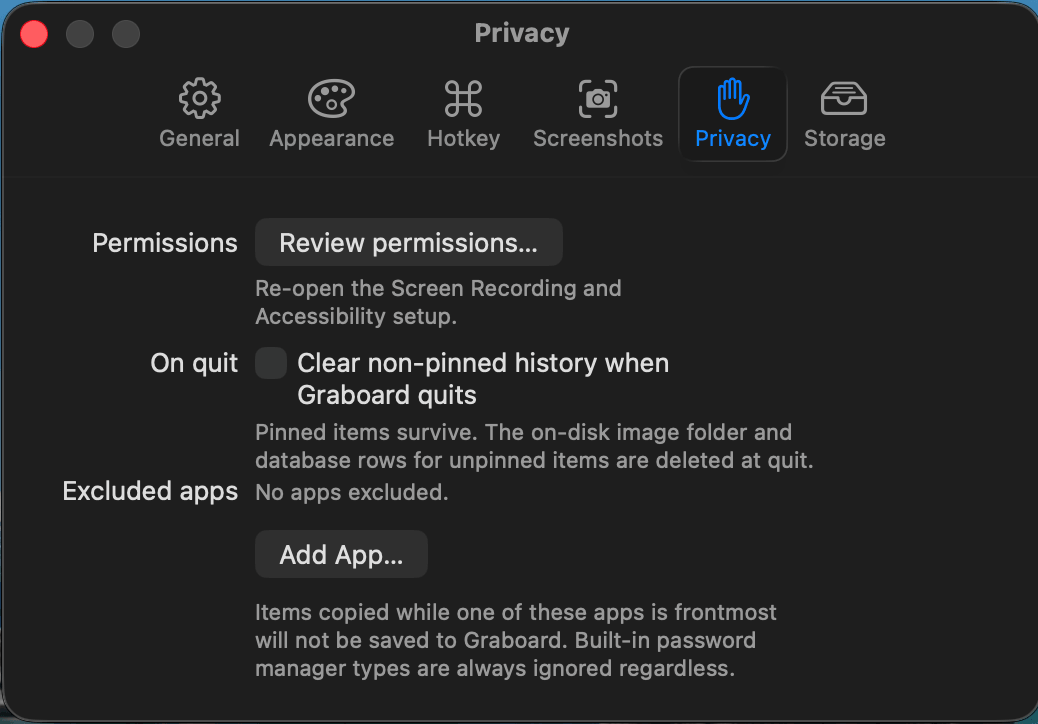
Your clipboard is nobody's business but yours.
Graboard keeps everything on your Mac — no account, no automatic sync, no analytics. Nothing is uploaded unless you explicitly choose to share it, and password managers and other sensitive content are skipped automatically.
Free · macOS 14.0+ · Apple Silicon & Intel


Stop losing what you copy.
Install Graboard and never hunt for that thing you copied a minute ago.
Free · macOS 14.0+ · Apple Silicon & Intel