 Graboard
Everything Graboard does.
One fast, private menu-bar app that grabs everything you copy or capture — and gives you real tools to use it.
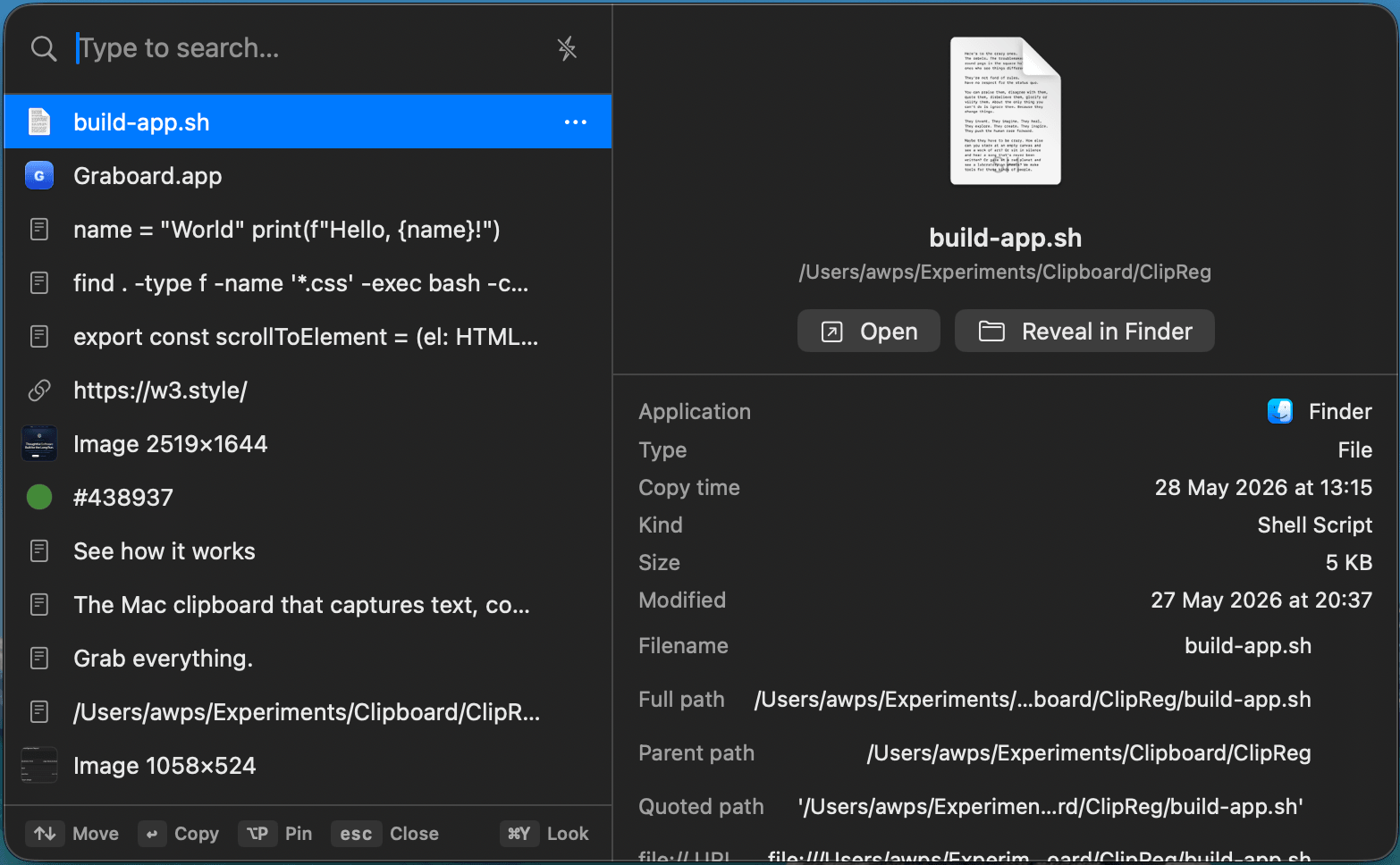
Everything you copy, kept and organized.
Graboard captures every kind of thing you copy as a first-class, browsable item — not just plain text.
- Text, code, URLs, images, files, SVG and colors — each as its own item
- Automatic de-duplication so your history stays clean
- Pin the items you reach for most; they stay on top
- Optional auto-clear on quit, and a one-click Clear All


Find anything you copied — even inside images.
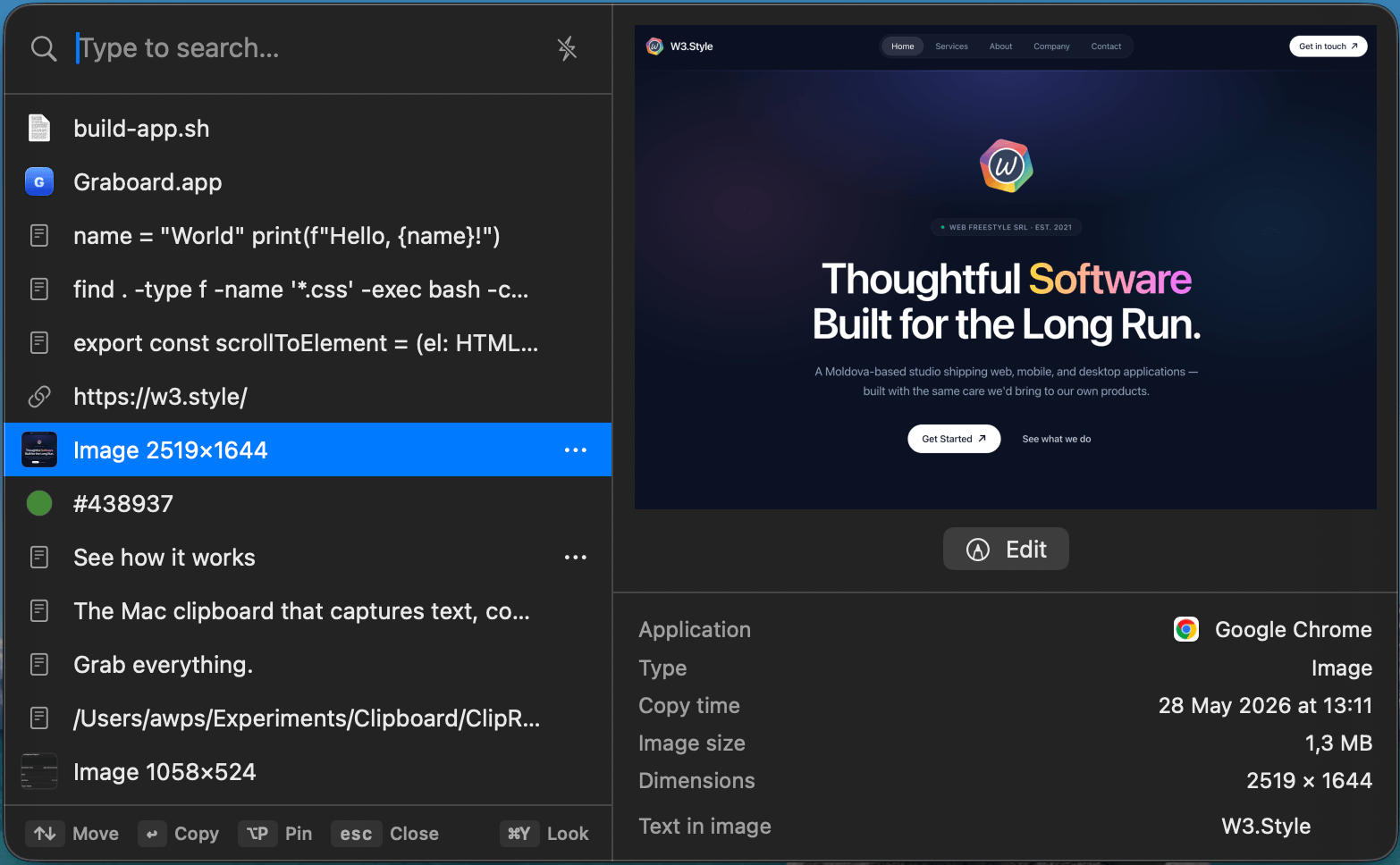
Instant full-text search across your whole history, including the text recognized inside your screenshots via built-in OCR.
- Full-text search that stays instant into the tens of thousands of items
- OCR makes the words inside screenshots searchable
- Pinned-first ordering keeps favorites within reach


Previews that actually tell you something.
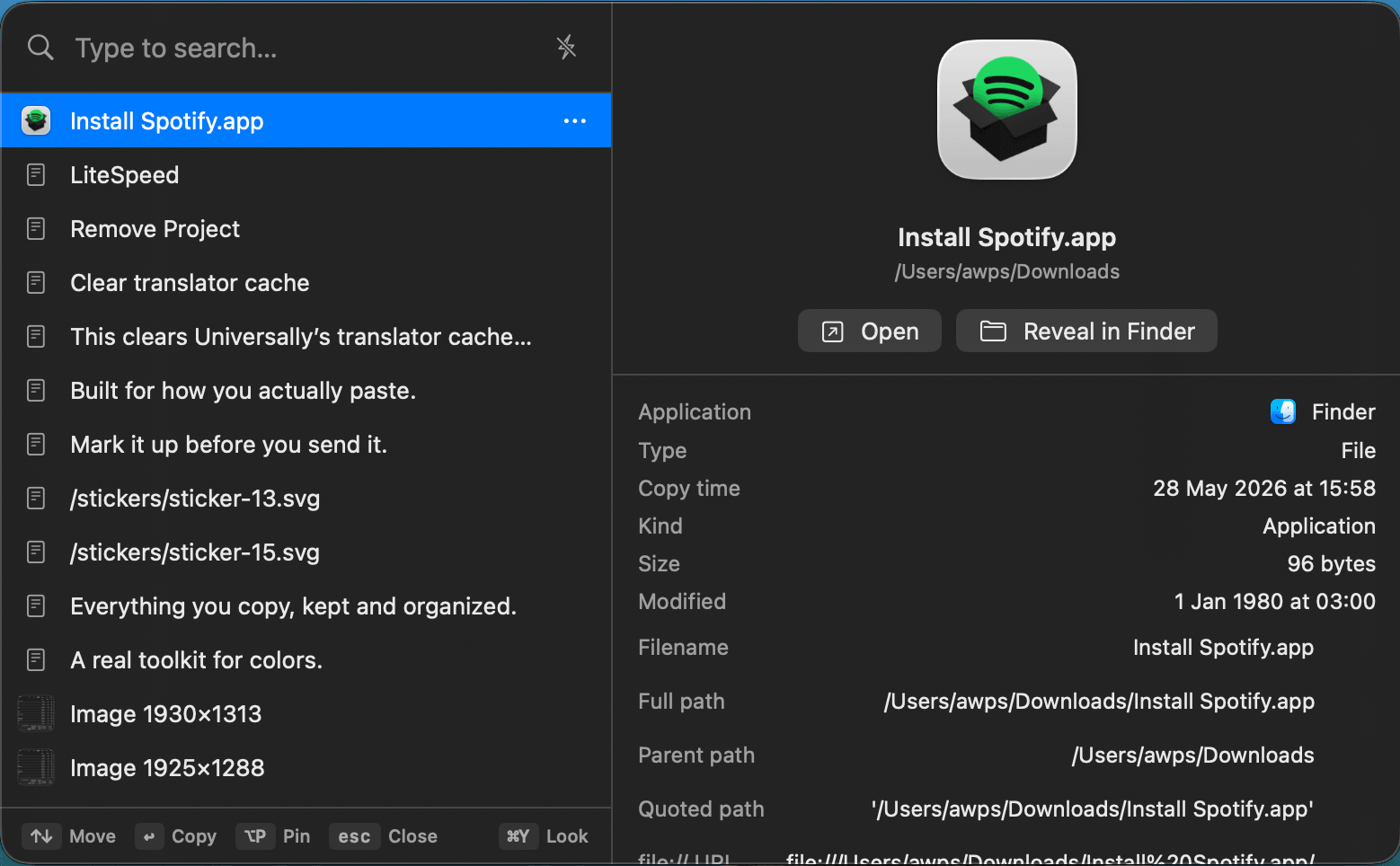
Every item type gets a useful, detailed preview pane — not just a thumbnail.
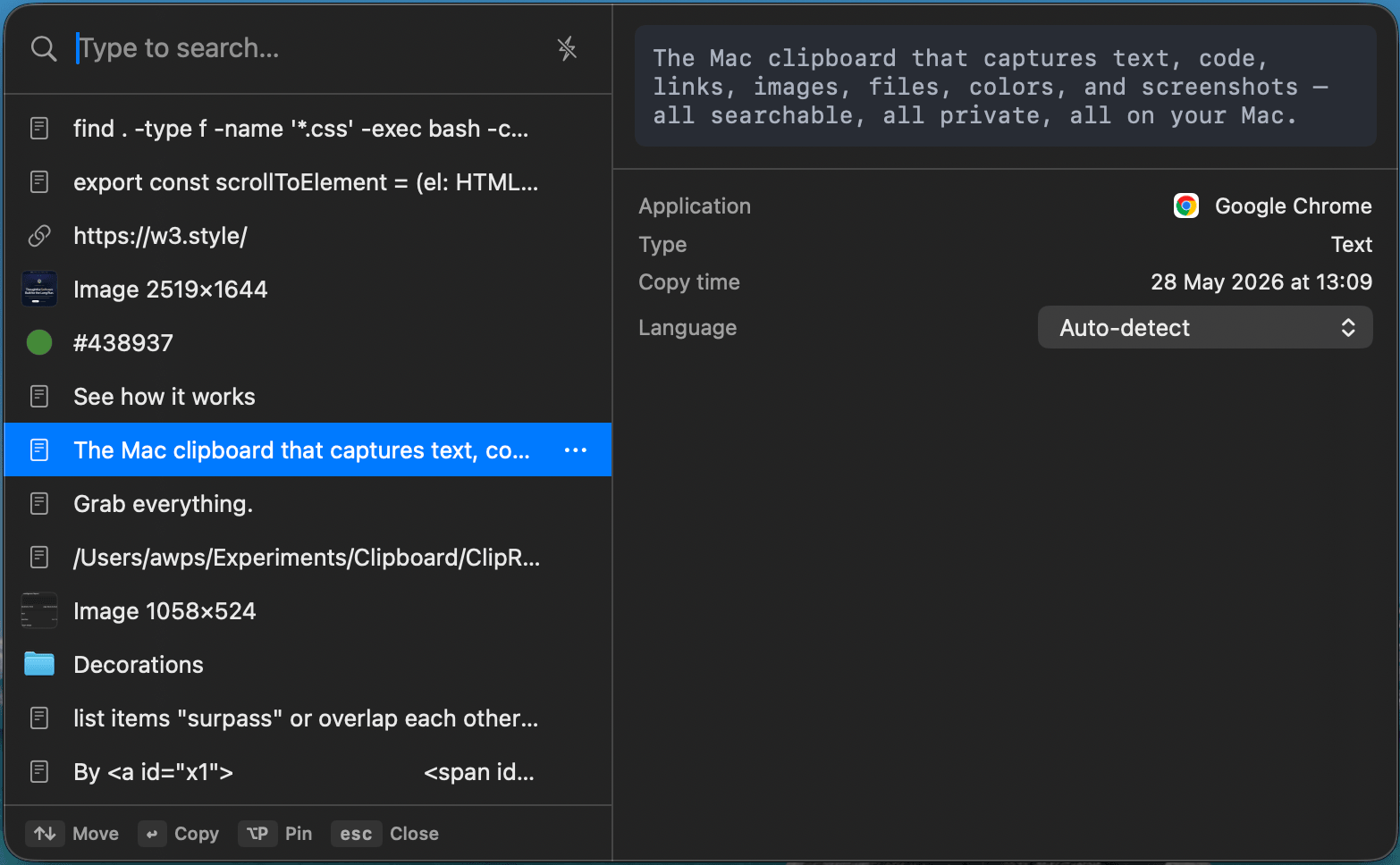
- Code: syntax highlighting for 15 languages with 8 themes, language auto-detected
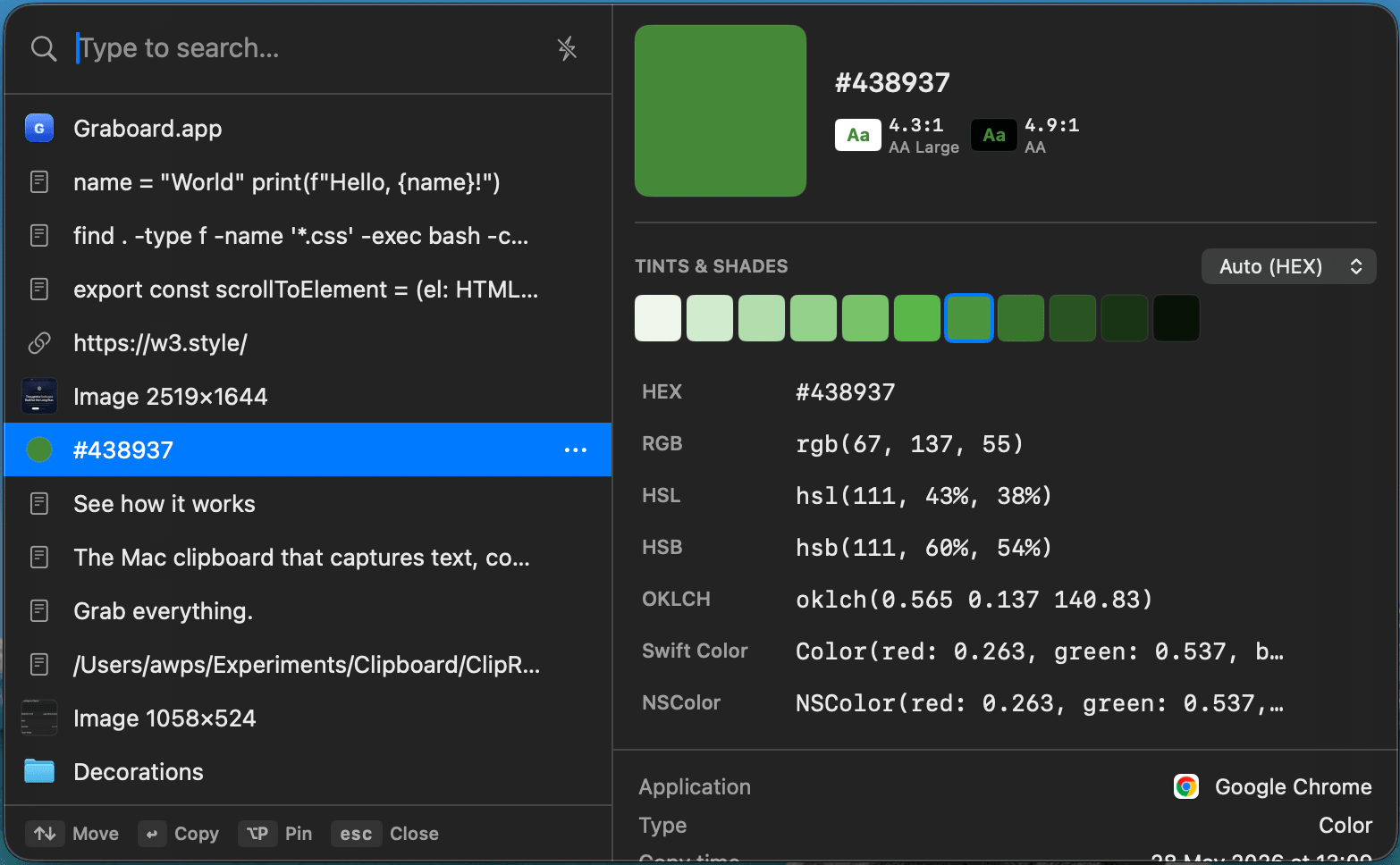
- Colors: swatch, WCAG contrast, tints & shades, conversions across hex/rgb/hsl/oklch
- URLs: a clean breakdown of host, path and components
- Files: thumbnail, metadata, and per-variant paste options

Capture straight to your clipboard.
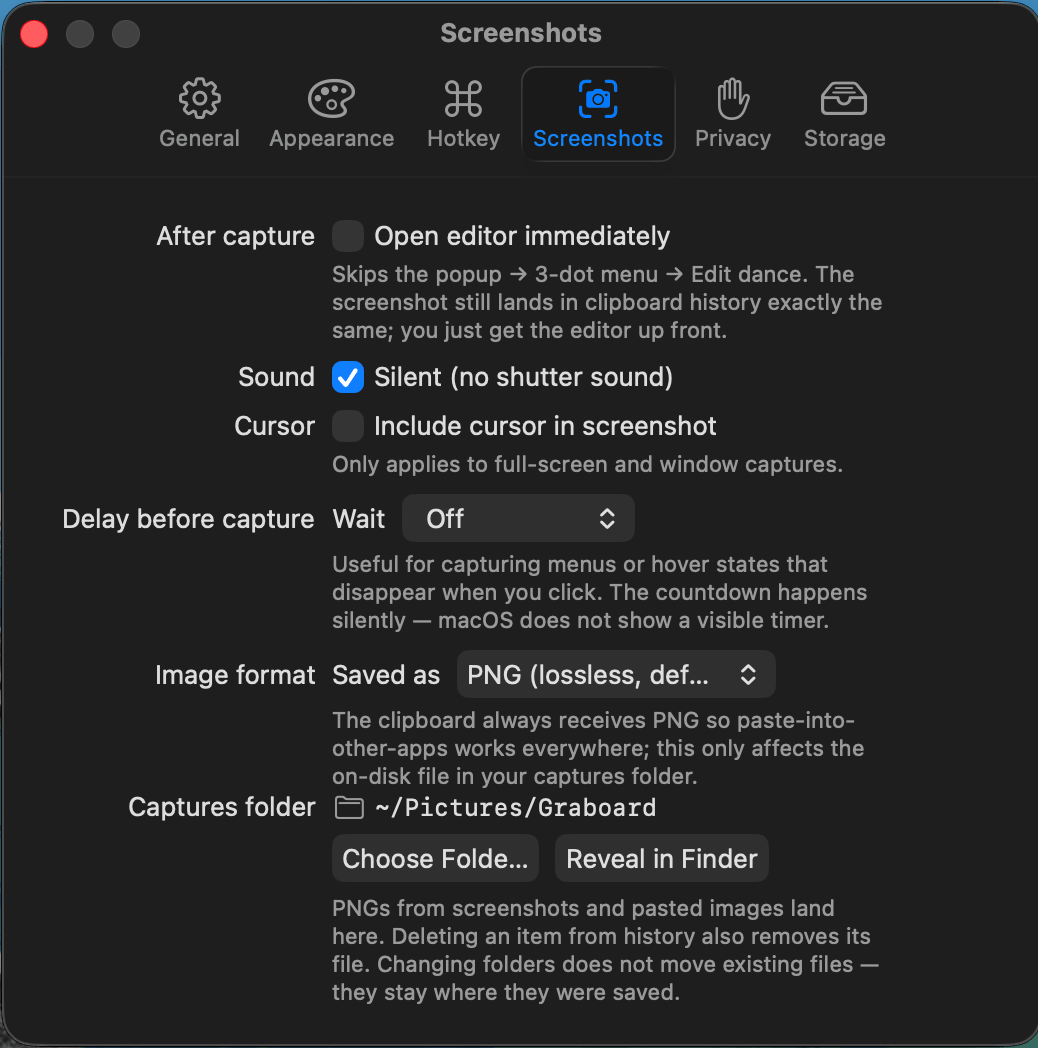
Grab a region, a window, or the full screen with ScreenCaptureKit — it lands in your history, searchable by its text.
- Region, window and full-screen modes, each with its own hotkey
- Silent, cursor and delay options
- PNGs saved to a folder you choose
- Every shot is OCR-indexed and instantly searchable


Mark it up before you send it.
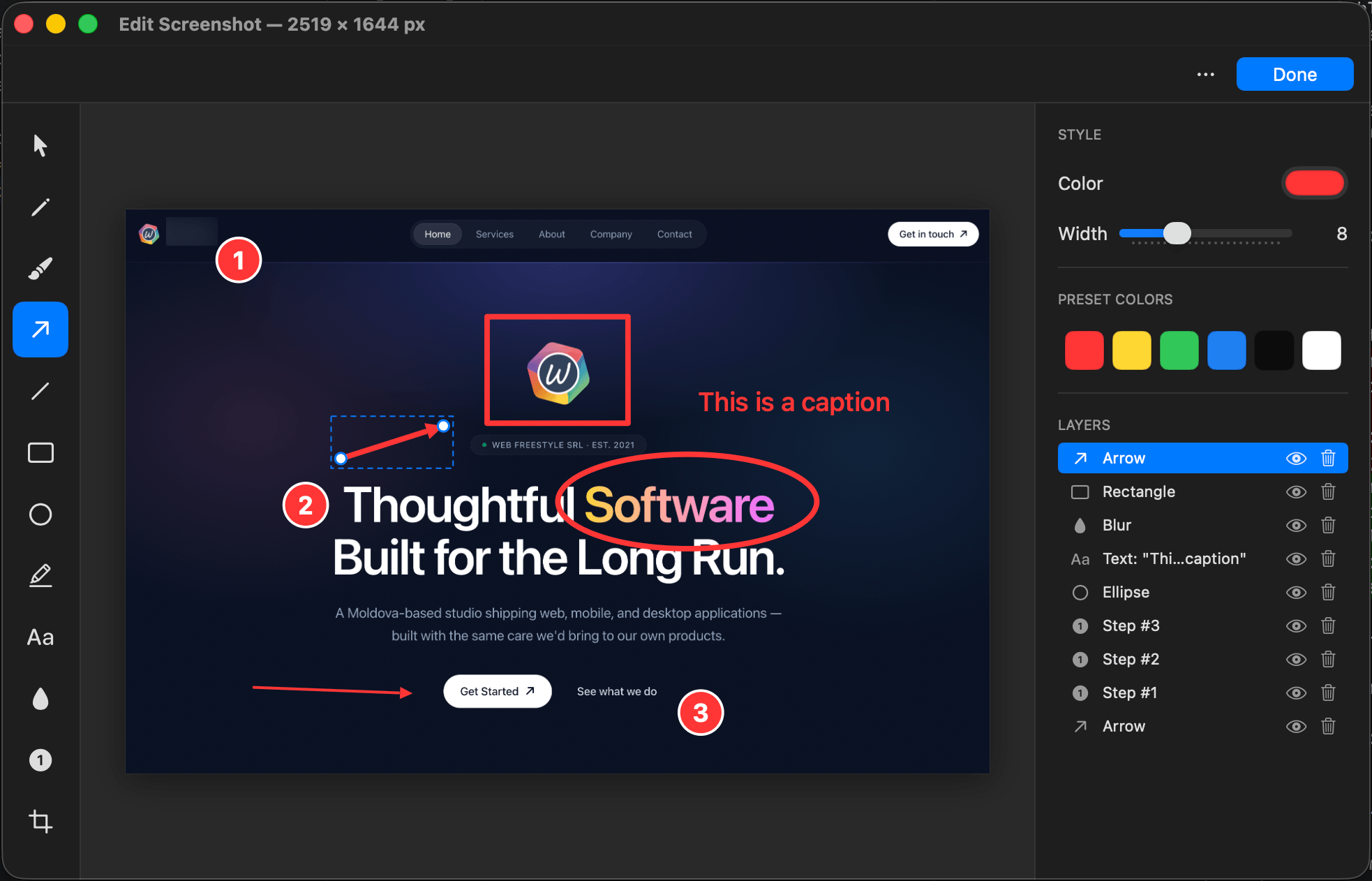
A built-in annotation editor opens on any screenshot — and your annotations stay re-editable.
- Arrows, boxes, blur, crop, text, highlight and numbered steps
- Re-open and tweak annotations anytime
- Designed for quick "here's what I mean" markup


A real toolkit for colors.
Pick any pixel on screen with the system loupe and get a full color workspace, with every value sent to your history.
- System loupe to sample any pixel on screen
- Swatch, WCAG contrast badges, tints & shades
- One-click conversion between hex, rgb, hsl, oklch and more

Built for how you actually paste.
Get items back out fast — by keyboard, via the share sheet, or straight back into the app you were just using.
- Global hotkey and full keyboard-only navigation
- Native Share Sheet to send any item to another app
- Paste by format, component or attribute — including OCR text
- Paste straight back into the app you came from


Privacy & filtering
Confidential pasteboard types (password managers, etc.) are skipped automatically. Add per-app exclusions and turn on clear-on-quit. Nothing leaves your Mac unless you choose to share it.
Native & fast
A pure Swift/AppKit menu-bar app shipped as a universal binary for Apple Silicon and Intel. SQLite full-text search keeps everything instant.
See it on your Mac.
Free to start, private by default, and ready in seconds.
Free · macOS 14.0+ · Apple Silicon & Intel